
Digital product · telehealth
PREP-SE
PrEP is free in Brazil's public health system.The hard part was getting the prescription.
PrEP, pre-exposure prophylaxis against HIV, is given out free by Brazil's public health system (SUS), but only with a prescription. PREP‑SE is a telehealth platform that shortens that path: an online consultation with an infectious disease specialist, a digital prescription and ongoing care, with no travel, no queues and no judgment.
There are four founding partners. My part is the technology: I designed and built the whole platform, front end to back end, from the website to sign-up, scheduling with payment, video consultations, the patient area, the doctor portal, medical records, the team dashboard and the WhatsApp assistant.
On a subject where many people fear being judged, that shaped every decision: welcoming language, asking for as little data as possible at each step, and treating health data as what Brazil's data protection law says it is, a special category.
Front end and back end by me.
Visit prepse.com.brHow the product works
From first click to prescription
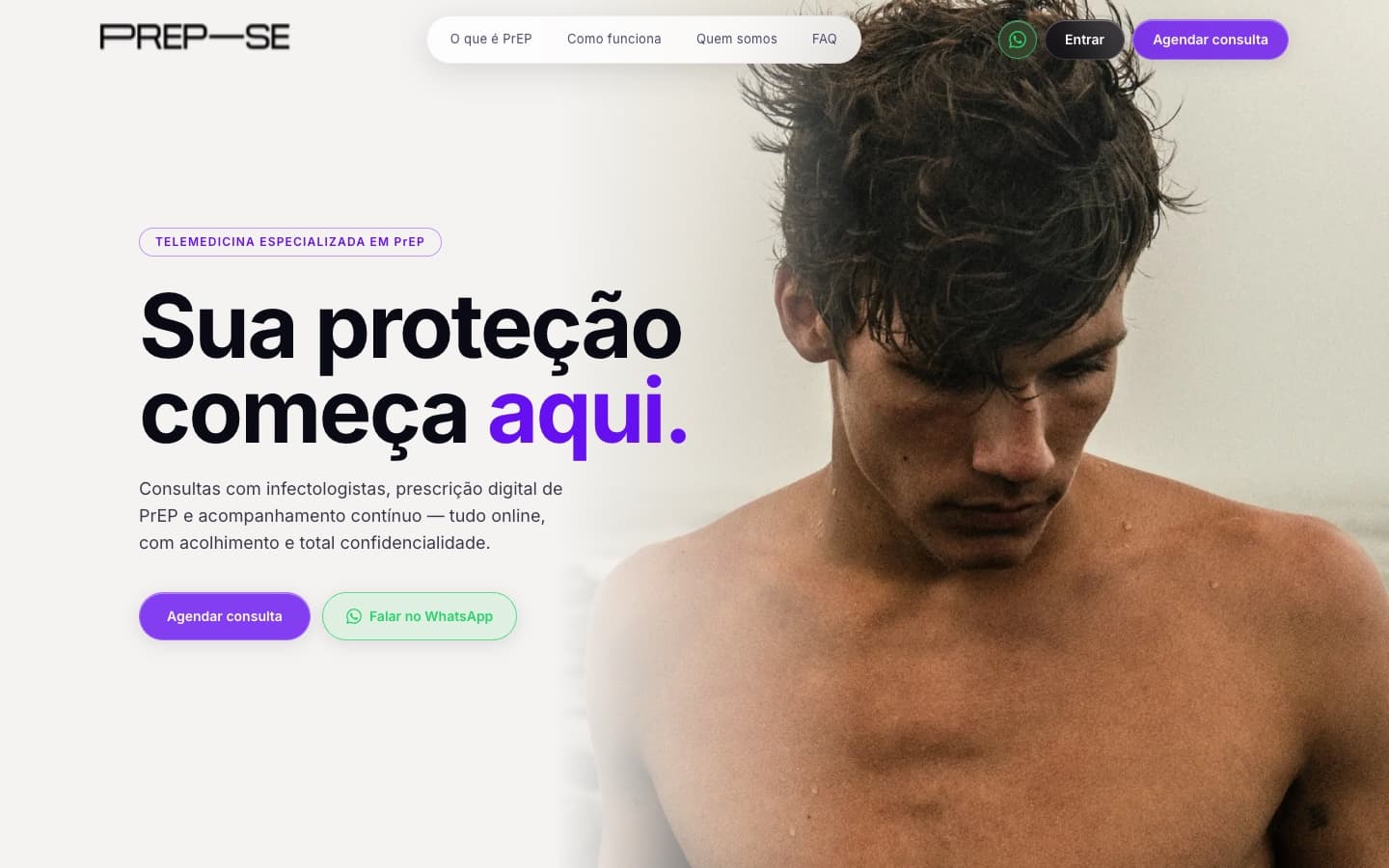
The front door
The site opens with a direct promise and documentary photography, not stock images. The first job is to remove the fear: explain what PrEP is and show that you can start right there.
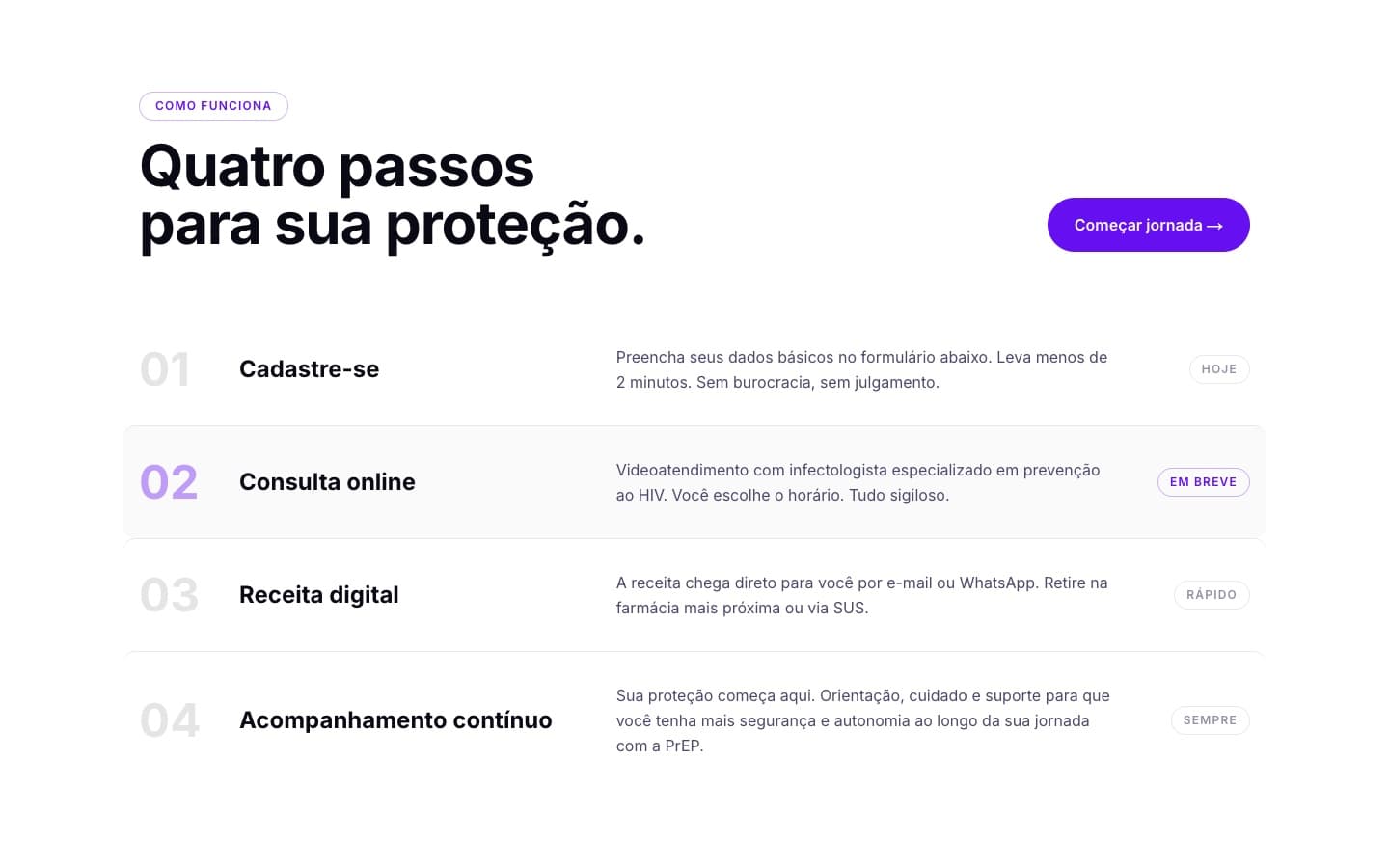
Four steps
Sign-up, online consultation, digital prescription and follow-up. The whole journey fits in one list, and each step says what happens and how long it takes.
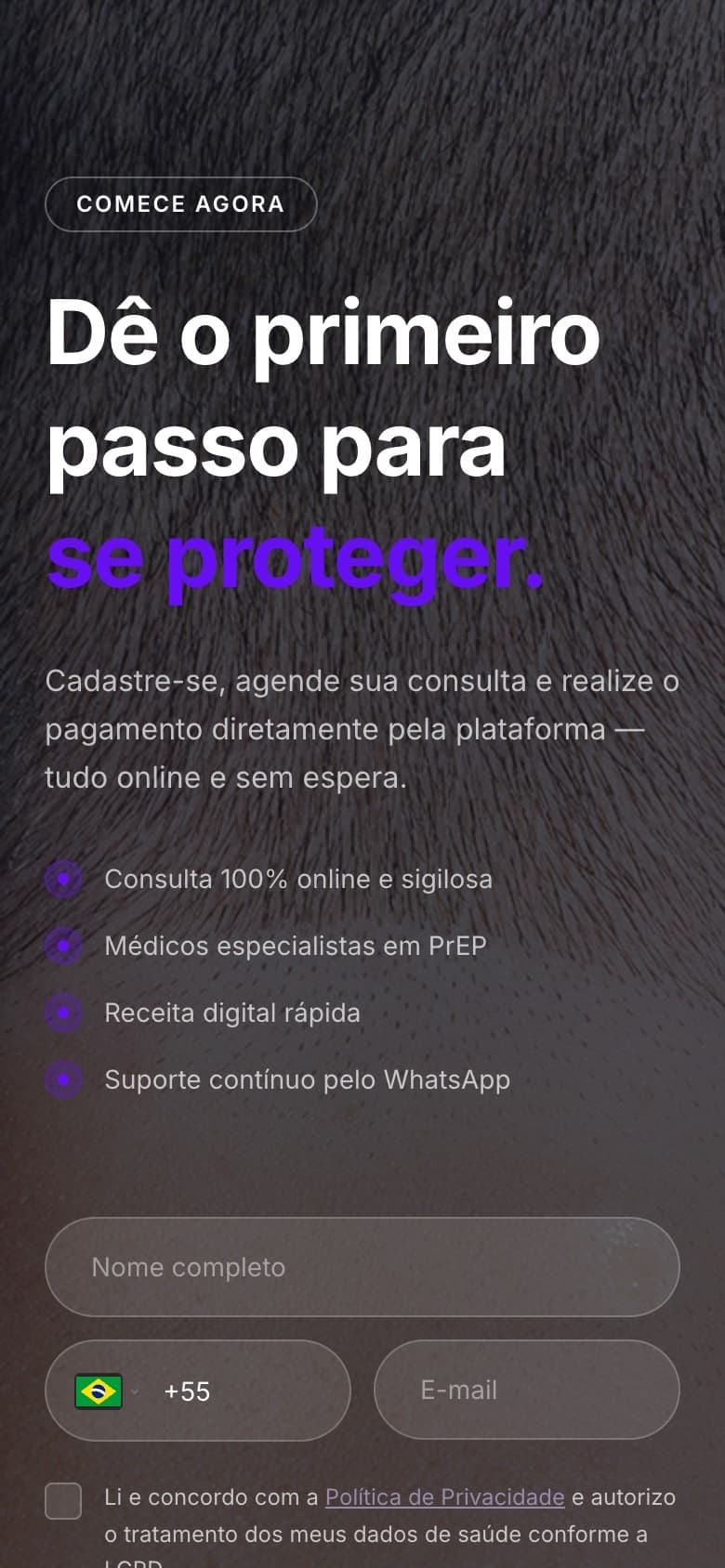
A sign-up that asks for little
The first sign-up only asks for name, phone and email, with consent for health data under Brazil's data protection law. The clinical questionnaire comes later, through its own link, and never by message.
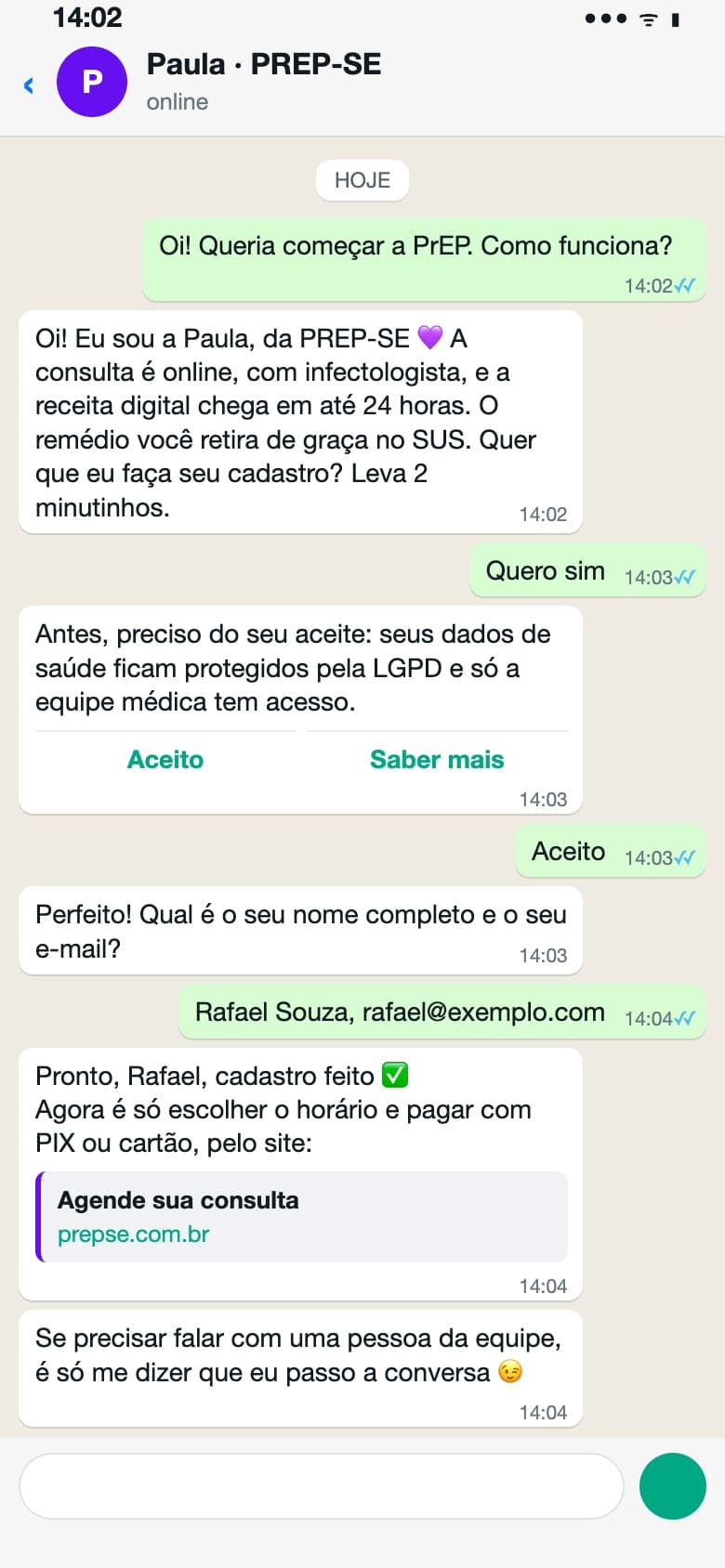
Paula, on WhatsApp
Paula is PREP‑SE's AI assistant: she signs people up, answers questions, checks progress and hands the conversation to a person when needed. At first she also booked appointments, but she got dates wrong. Booking and payment moved back to the website, where a slot is held for one hour until payment is confirmed. The image shows a simulated conversation with fictional data.
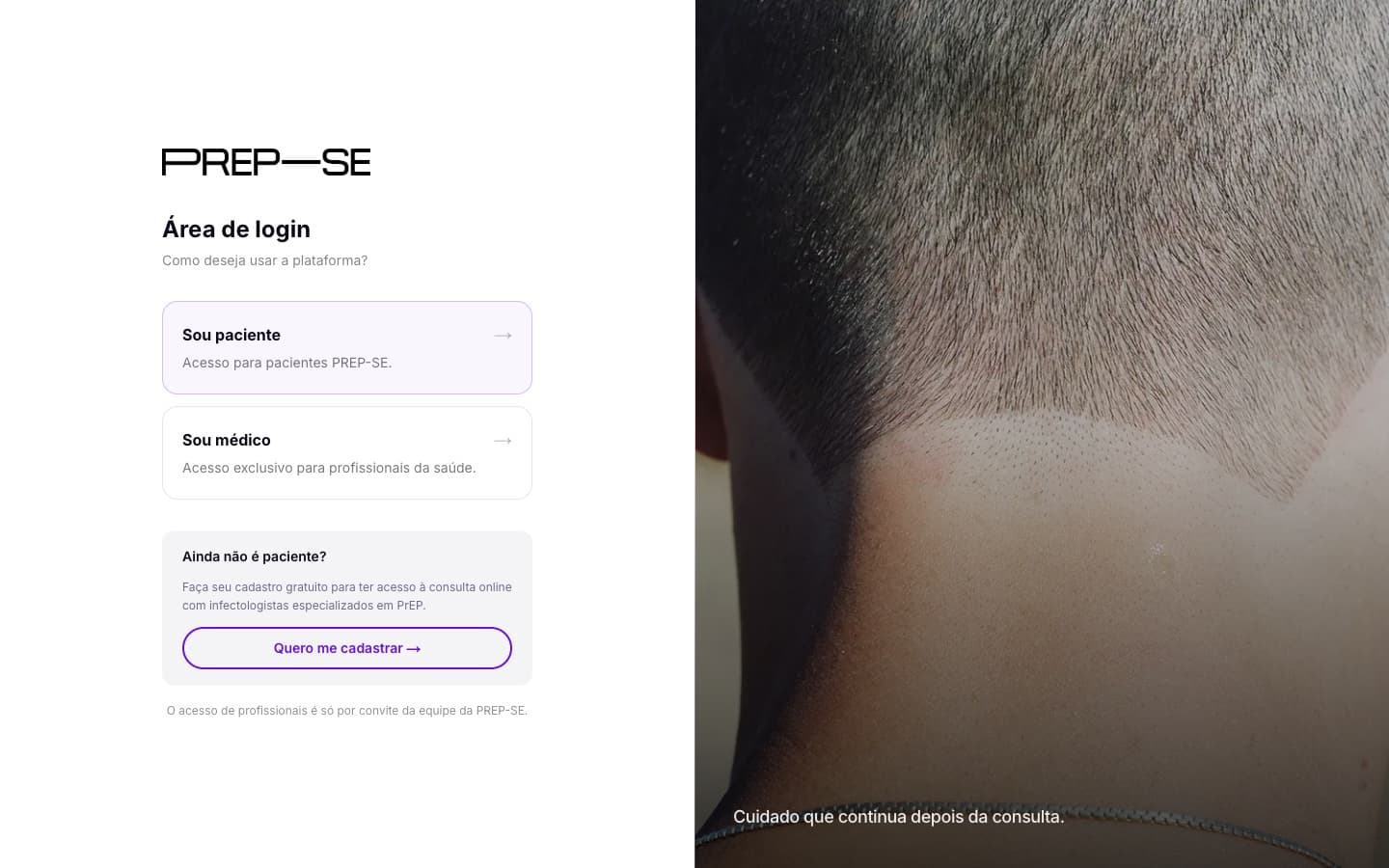
Two doors
Patients and doctors come in through different paths. Patients use their email or phone and a code sent on the spot, with no password to remember, and find their appointment, history and documents. Doctors join by invitation and get a schedule, appointments and medical records.
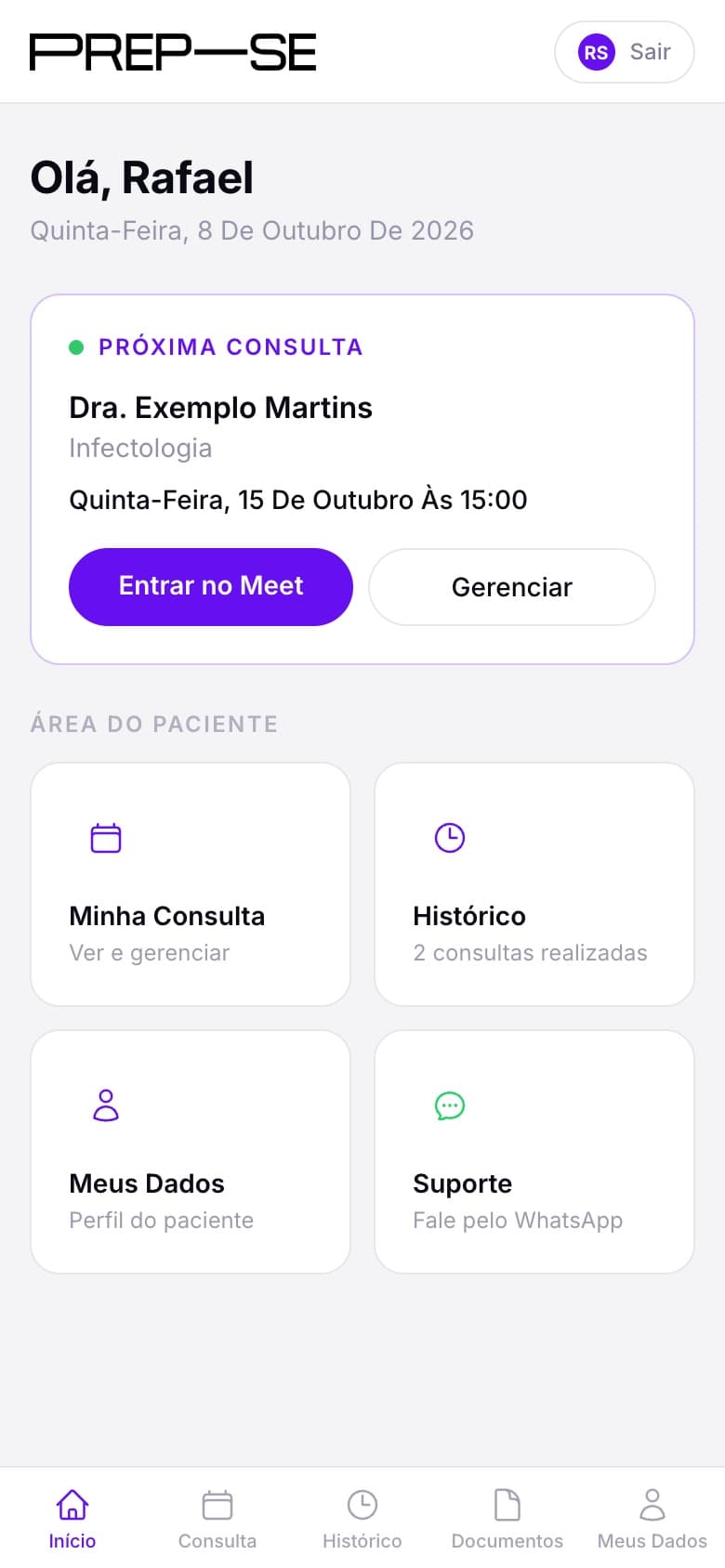
The patient area
Once the appointment is booked, patients get an area that works like an app: the next appointment, the Meet link, history and documents are one tap away.
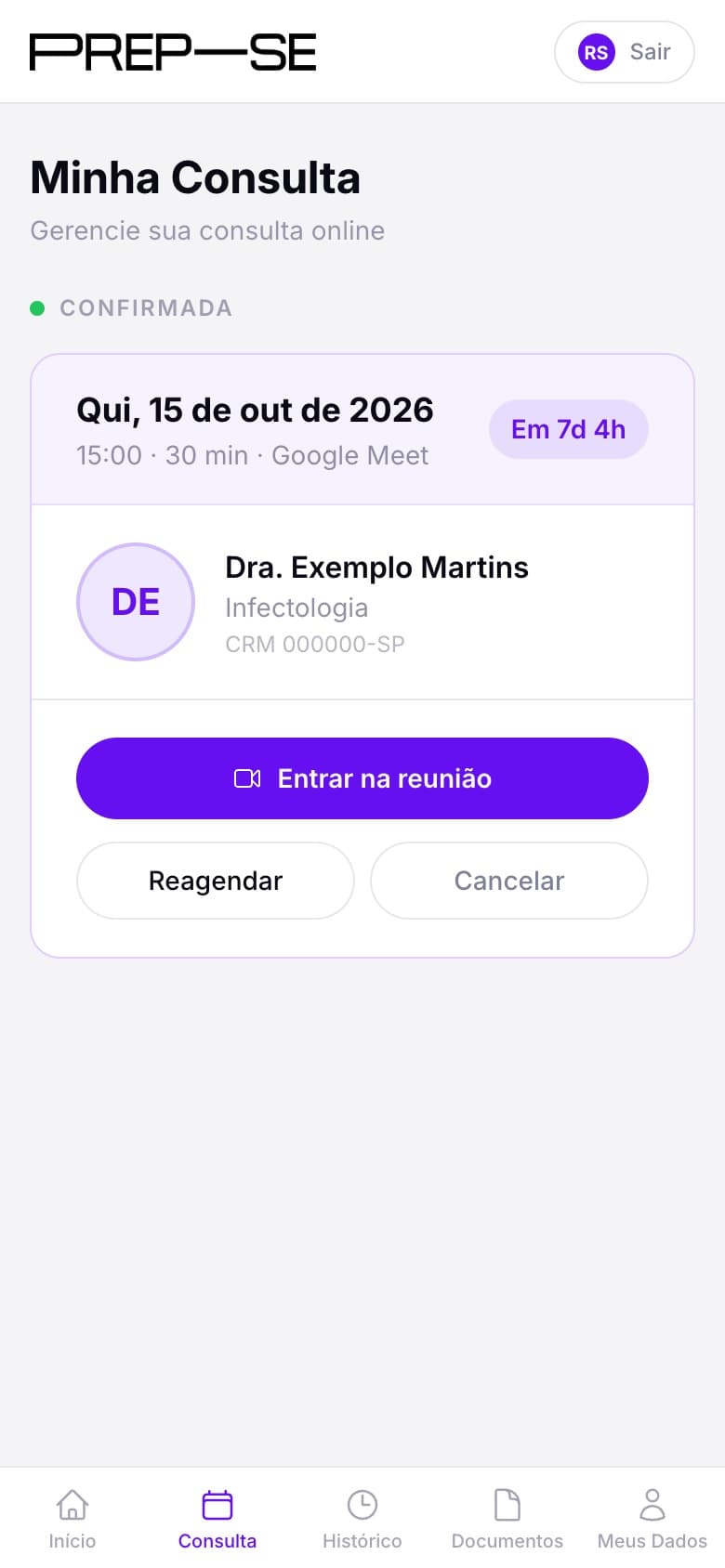
Rescheduling without asking anyone
Patients reschedule or cancel on their own and upload their tests, which go straight into the record the doctor opens during the consultation.
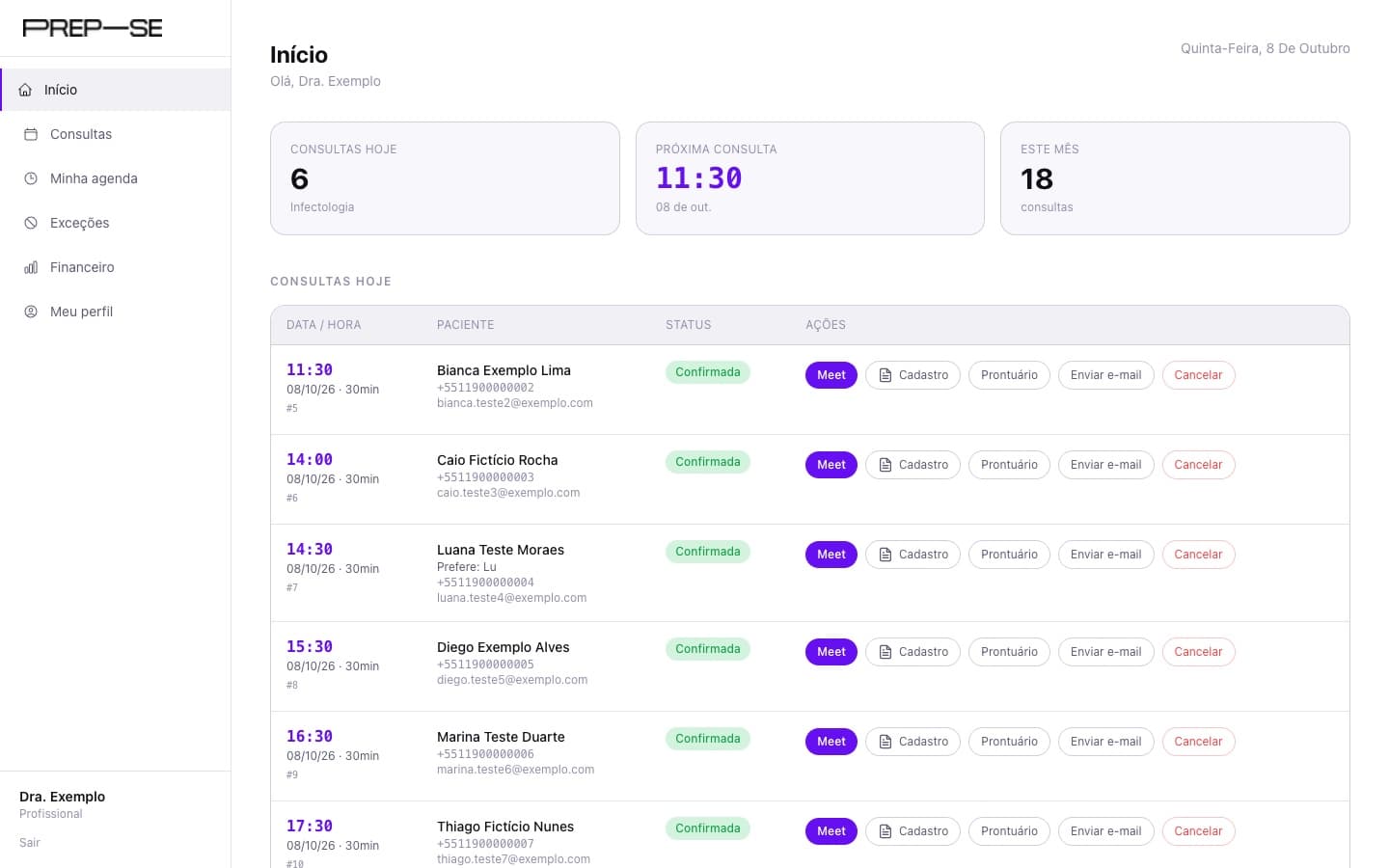
The doctor's day
Doctors start the day with their schedule and every action for each appointment on one screen: join the Meet, see the sign-up, open the record, send an email.
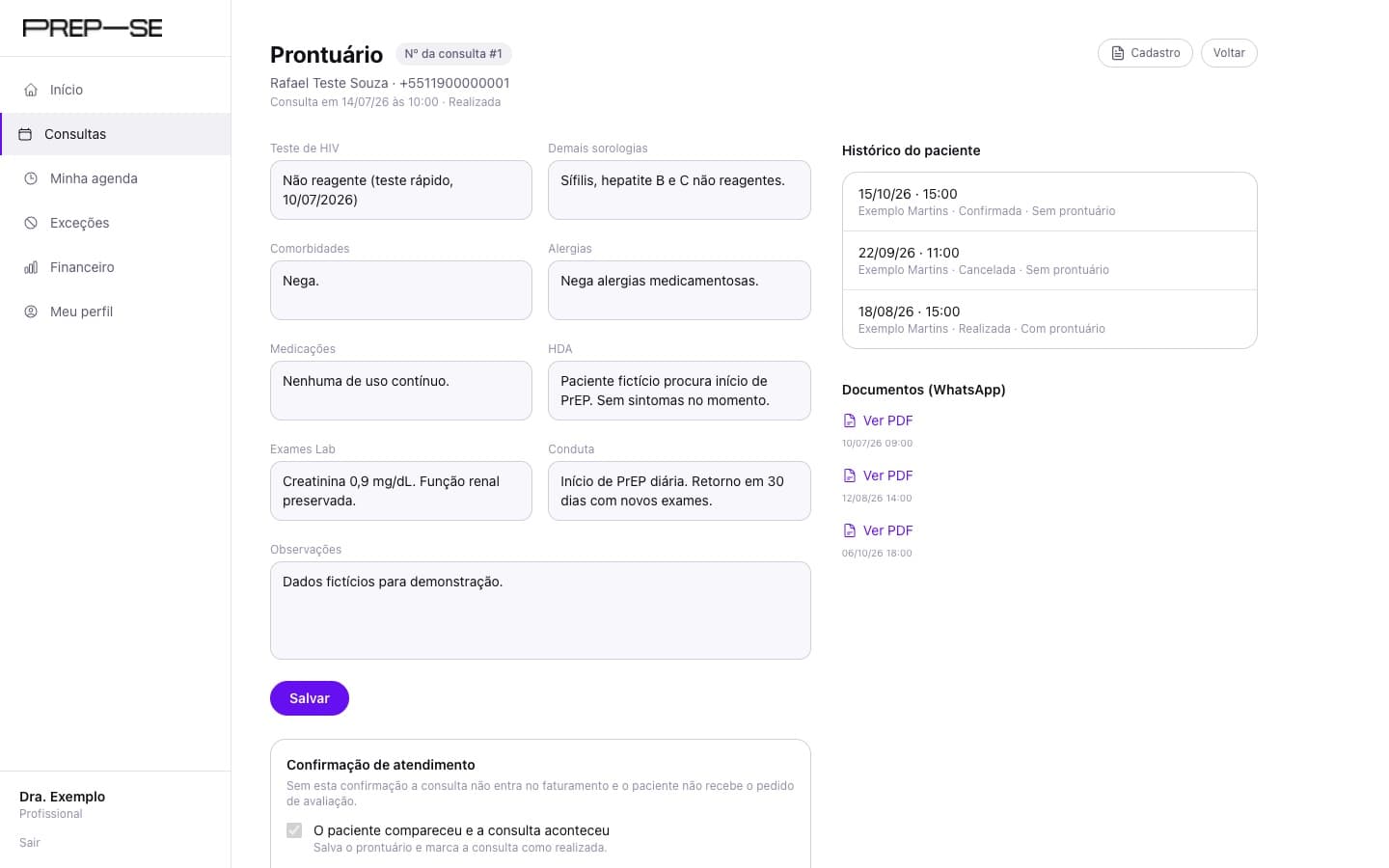
A record per appointment
Each appointment has its own medical record, with the patient's history and tests alongside. The doctor confirms the appointment took place, and the system asks for that confirmation.
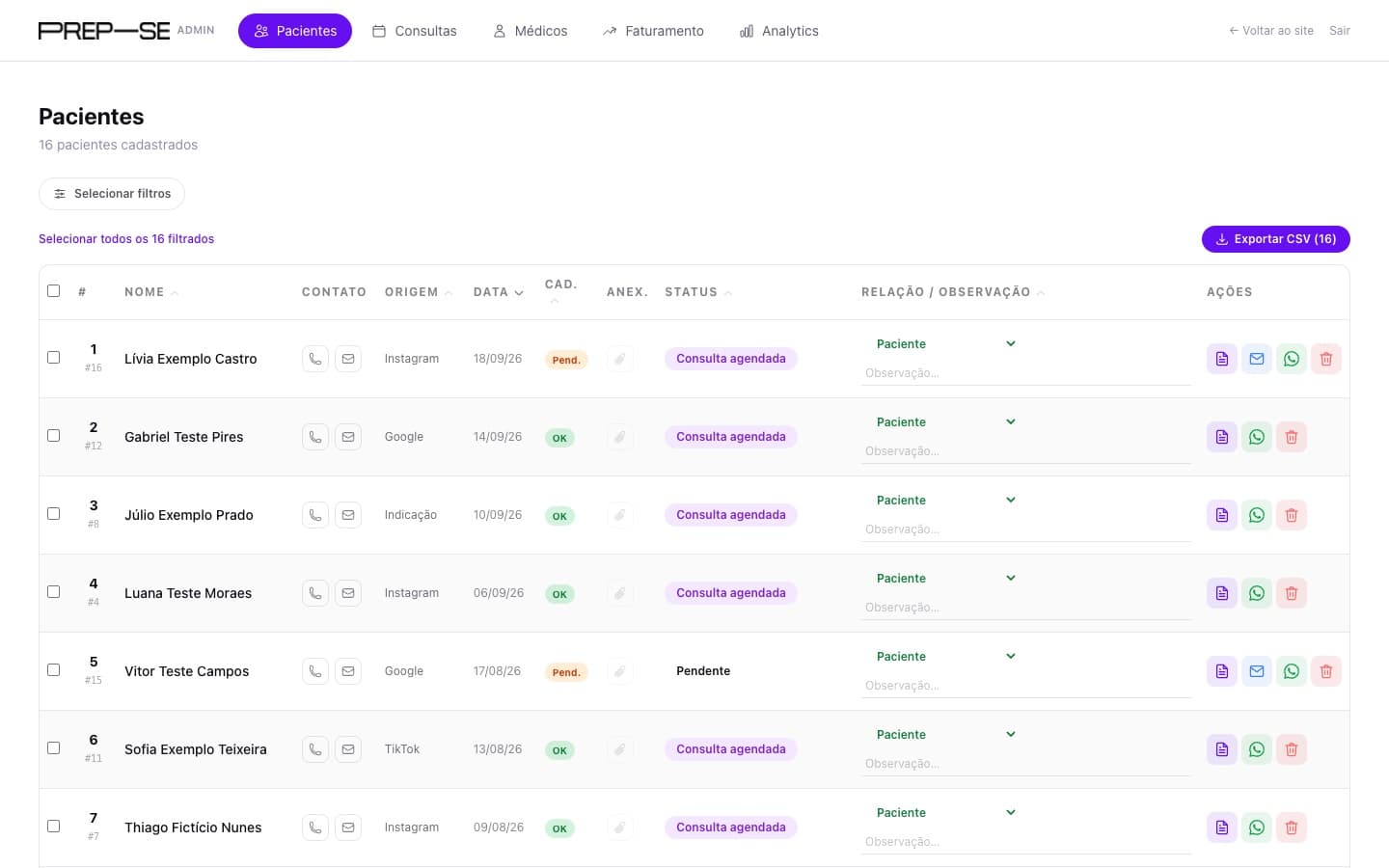
The team dashboard
The patient list works out each person's status from their real appointment history, shows where they came from and exports to a spreadsheet.
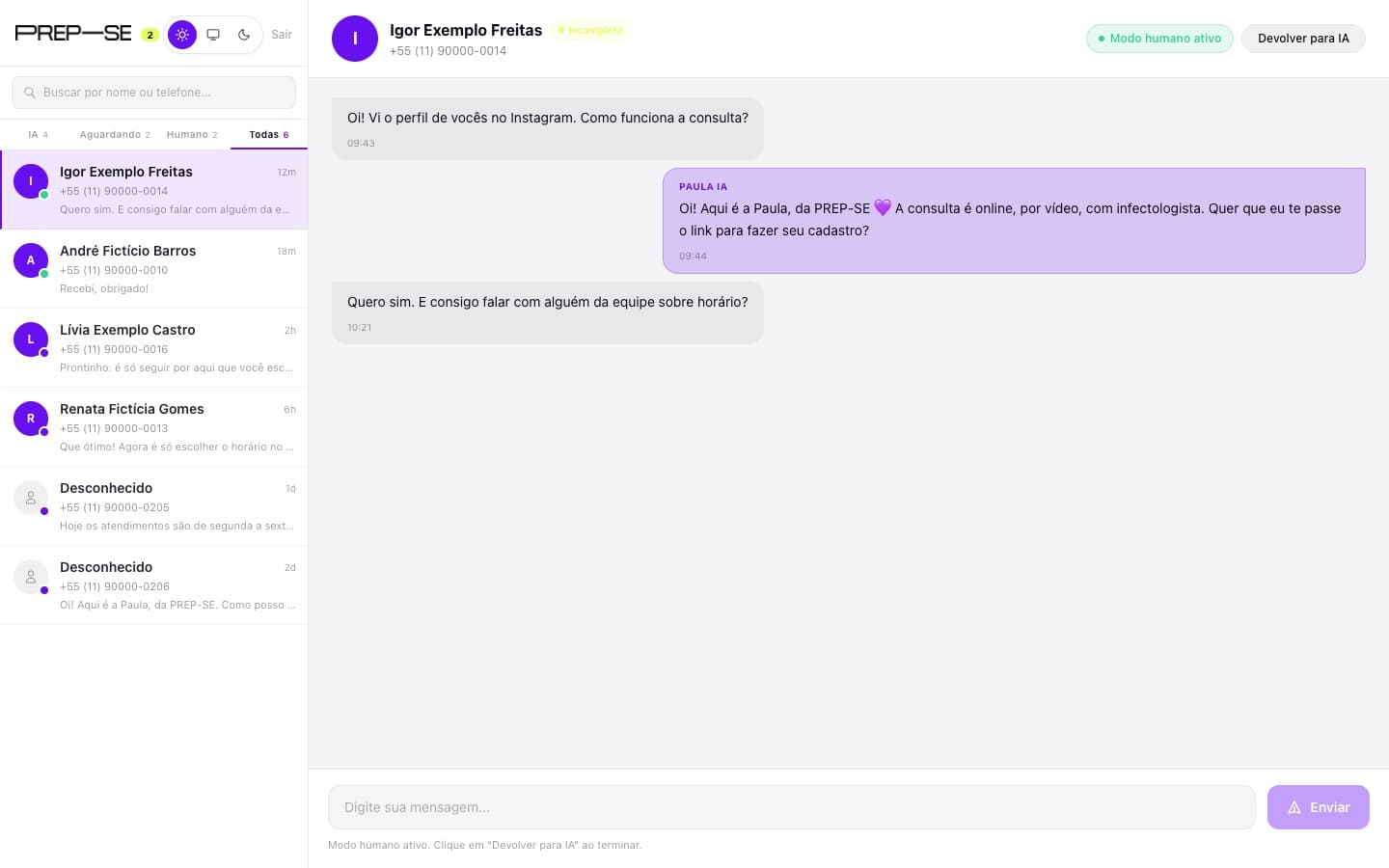
When Paula hands over
In the support dashboard, the team sees WhatsApp conversations split into those Paula is handling, those waiting for someone and those already with a person, and takes over with one click.
Project details
- My role
- Co-founder, Head of Technology
- What I did
- All of the technology, front end to back end
- Founding partners
- Dr. Mateus Guilhardi, Tyrone Rodovalho, Emília Abel and Nando Martins
- Technology
- Next.js, TypeScript and PostgreSQL
- Integrations
- Mercado Pago (PIX and card), Google Meet, WhatsApp and email
- Live at
- prepse.com.br
The logged-in screens were captured on a local copy of the platform, with fictional data.